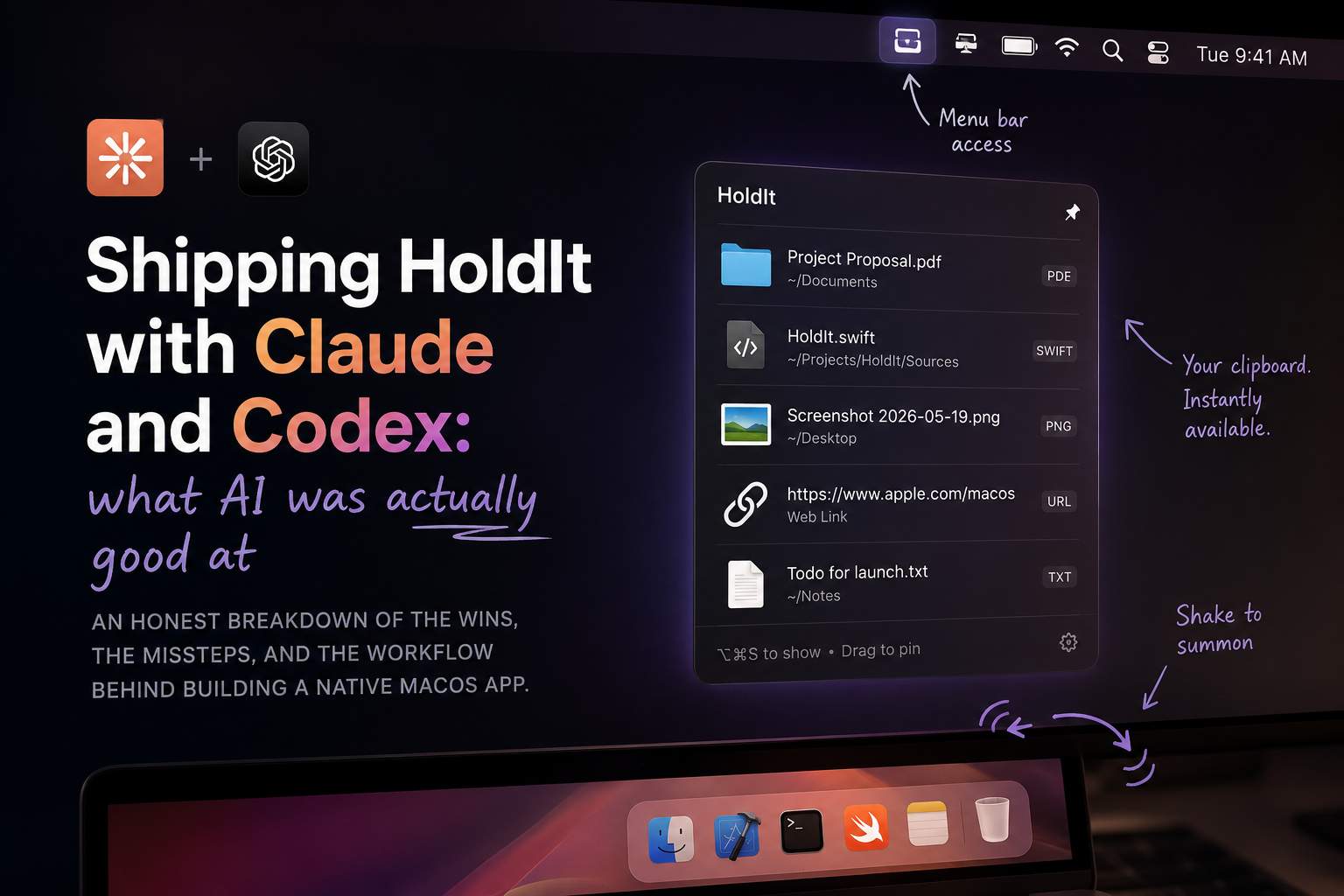
Shipping HoldIt with Claude and Codex: what AI was actually good at
I shipped HoldIt — a small native macOS menu bar utility — with Claude and Codex as implementation partners. The launch post covers what the app does. This one is about how it actually got built, and where the AI tools earned their keep versus where I had to do the work myself.
I want to be specific instead of romantic about it. “AI built my app” is a bad summary. “I made a lot of small decisions and AI did the typing, the lookups, and the boilerplate” is closer.
The shape of the workflow
The loop that worked for me looked like this:
- Decide what should happen, in plain English.
- Map out which native APIs are involved.
- Ask the AI for the smallest piece that does one of those things.
- Read the output. Run it. Poke at it.
- Tighten the design around what felt right in the hand.
Steps 1, 2, and 5 are mine. Steps 3 and 4 are where Claude and Codex did most of the typing. The split is important — if I let the model drive step 1, the product wandered. If I drove step 1 and let the model handle step 3, the product stayed coherent.
The shortest version: AI is good at “how do I write this.” It is bad at “what should I build.”
Where Claude and Codex earned their keep
These are the moments I would have lost real hours without them.
Native API archaeology
A lot of HoldIt sits on AppKit and Carbon corners that do not get visited often. NSPanel subclasses that should float above other apps. NSEvent.addGlobalMonitorForEvents to watch the cursor during drags I did not start. Carbon RegisterEventHotKey for a global Option-Command-S shortcut, because the modern AppKit equivalent does not cover global keys.
Each of those involves five-line incantations buried in old documentation and Stack Overflow threads from a decade ago. The AI did not always get the incantation right on the first try, but it almost always got me close enough that I could see the shape of the answer. That is the difference between an afternoon of reading and twenty minutes of iterating.
Boilerplate that follows a pattern
Once the shape of DropReceiver was clear, every new drag type — files, folders, URLs, plain text — was a small variation on the same theme. Reading the pasteboard, checking the conforming types, building a ShelfItem, deduplicating against what was already on the shelf.
This kind of work is tedious and easy to get subtly wrong. It is also exactly the shape that a model handles well — local, constrained, with a clear template right above it in the file. I would write one careful version, then ask for the next, then read carefully to make sure the model had not invented a pasteboard type that does not exist. It usually had not.
Debugging side-by-side
Some of the bugs were small but ugly. A drag would end without firing the expected callback. A shelf would refuse to close. A panel would steal focus from the foreground app when it appeared.
The way I used the AI here was less “fix this for me” and more “here is what I am seeing — what are three things this could be.” Three hypotheses to check is much faster than one fix to apply, because the wrong fix sends you down a longer hole than the wrong hypothesis. The model was a good rubber duck with read access to AppKit’s quirks.
Where it got in the way
Being honest about this matters more than the wins.
The shake detector
The shake-to-summon gesture is the soul of the app. It needs to feel instant and forgiving — too sensitive and a normal drag opens a shelf you did not want, too strict and the gesture stops working when you are in a hurry.
Every “shake detection” implementation the models reached for first was the wrong shape. They wanted accelerometers, derivatives, sliding windows of speed. What actually worked was much dumber: count horizontal direction reversals inside a short time window, with a small minimum distance. Three reversals in under a third of a second is a shake. Two is a wobble. The math fits in a few lines.
The AI could have written that, but only after I had already figured out what the right primitive was. It could not have arrived at “count direction reversals” on its own from the prompt “detect a shake.” This is the gap that gets papered over in marketing demos.
Taste decisions
How a shelf should look. Whether items should fade or slide. Whether the menu bar icon should have a badge. Whether Option-Command-S is the right hotkey. Whether the empty shelf should auto-close after a delay, and how long that delay should be.
The model has opinions on these but they tend to be the average opinion of every macOS tutorial blog ever written. The average is not what you want when the whole point of the app is that it should feel a particular way.
I learned to stop asking for taste from the model and treat it as a typist for the taste decisions I had already made.
Quietly wrong code
A few times I caught the model confidently calling APIs that do not exist, or using deprecated NSPasteboard types from older macOS versions. The code compiled often enough that I had to read carefully, not just skim. The lesson is not “AI is bad” — the lesson is that “looks right, compiles, even seems to run” is not the same as “is right.” A ShelfItem that silently drops a category of dragged content is worse than one that crashes.
What I would tell someone starting
A few things I would have wanted to hear before I started:
- Keep the prompts narrow. “Write me a drag-monitor class” produces something generic. “Add a method on
GlobalDragMonitorthat callsonShakewhen the cursor reverses direction three times within 350 ms” produces something I can actually use. - Hold the architecture yourself. I made the call to split the project into
Domain,DragDrop,UI,Windowing,Storage,App. The model would have happily stuffed everything into one file. The structure is what kept the project legible to me weeks later. - Read every line. Especially the ones that look fine. The bugs were never in the lines that looked wrong.
- Use it for the second copy, not the first. Once one careful version of a thing exists in the codebase, the model is great at producing the next four variations. Asking it to invent the first version of a primitive is where it goes off-pattern.
The honest summary
HoldIt would not have shipped this fast without Claude and Codex. It also would not have shipped at all if I had let either of them drive.
The interesting work was always the small product decisions — should a shelf close when empty, should a shake-preview commit on drop or on dwell, should the hotkey open a new shelf or focus the last one. The AI was a fast and cheerful collaborator on everything around those decisions, and the decisions themselves stayed mine.
That balance is the part I want to keep for the next project.
HoldIt is open source on GitHub. Issues and PRs welcome.